
Keep optical, environmental and approval records aligned for Hirschmann BRS20-1000M2M2-TTCX99HHSESXX.X.XX
Hirschmann BRS20-1000M2M2-TTCX99HHSESXX.X.XX is the Hirschmann BRS20-8TX/2FX-EEC-HL BOBCAT managed DIN rail configuration with 8 10/100BASE-TX RJ45 ports and two fixed 100BASE-FX multimode SC fiber interfaces. The catalog specifies an operating temperature range of −40 to +70 °C. Identify the unit by its complete Product code and part number 942170037 when planning an installation or requesting a repeat order. The interface arrangement, environmental values and documented software functions below define the selection more precisely than a family name alone.
Build a complete acceptance file for the mixed-media unit
This model combines eight copper connections, two fixed multimode SC interfaces and EEC operation. The catalog also lists ISA12.12.01 under hazardous locations. Retain the applicable manufacturer documentation with the equipment schedule where the installation requires it. Match the full offered code to the requirement; neither a family name nor a shared reference image defines the scope of the selected configuration. The optical path should have its own compatibility record, including the cable type, opposite interface and destination of each connection. The environmental review should cover the actual cabinet conditions. Keep those records together with the accepted software settings and product label. Where a substitute is proposed, compare each requirement explicitly before approval. This approach is particularly useful when engineering, procurement and maintenance teams review the same equipment at different stages of the project.
Technical specifications
| Brand | Hirschmann |
|---|---|
| Catalog Type | BRS20-8TX/2FX-EEC-HL |
| Product code | BRS20-1000M2M2-TTCX99HHSESXX.X.XX |
| Part Number | 942170037 |
| Port Type and Quantity | 10 Ports in total: 8x 10/100BASE TX / RJ45; 2x 100Mbit/s fiber ; 1. Uplink: 1 x 100BASE-FX, MM-SC ; 2. Uplink: 1 x 100BASE-FX, MM-SC |
| Operating Voltage | 2 x 12 VDC ... 24 VDC |
| Power Consumption | 8 W |
| Operating temperature | −40 to +70 °C |
| Housing | PC-ABS |
| Dimensions (WxHxD) | 73 mm x 138 mm x 115 mm |
| Weight | 570 g |
| Mount Type | DIN Rail |
| IP Protection Rating | IP30 |
| Hazardous locations | ISA12.12.01 |
Include installation details in the equipment schedule
The manufacturer lists 73 mm x 138 mm x 115 mm enclosure dimensions, 570 g device weight and 8 W power consumption. The supply specification is 2 × 12–24 V DC. The PC-ABS enclosure is specified for DIN rail mounting and IP30 protection. Leave practical access to the connection area when arranging neighboring equipment. Check the manufacturer wiring instructions when selecting and connecting the DC supply, and record the arrangement where both inputs are used. Include connected cable space in the layout rather than reserving only the enclosure dimensions. Keeping the mechanical data and connection requirements beside the full code helps panel builders and maintenance staff work from the same equipment definition.

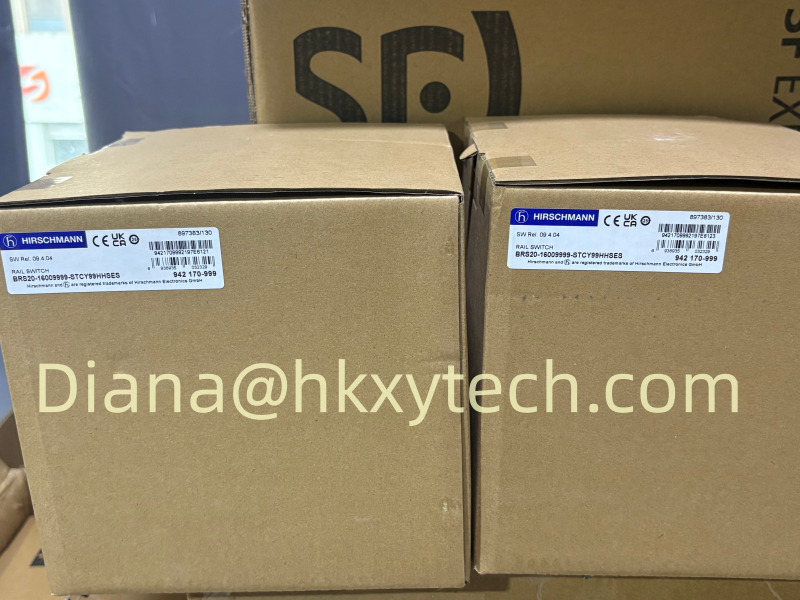
Hirschmann product reference image. The pictured model may differ from the specified configuration.
Documented controls and diagnostic access
The switch supports HTTPS and SSHv2 management, SNMP v1/v2/v3 and LLDP. Diagnostics include link monitoring, copper cable testing, Syslog and port mirroring. These can support a service process in which an affected port is checked against its normal state before broader configuration changes are attempted. HIPER-Ring, MRP and RSTP appear in the redundancy functions. Choose the required method as part of the complete topology and verify its operation with the participating network devices. Keep the result and the approved settings in the commissioning record.
What the receiving team should verify
Compare the delivered label with Hirschmann BRS20-1000M2M2-TTCX99HHSESXX.X.XX and part number 942170037. Check the supplied items against the accepted quotation, including separately listed accessories. Retain the manufacturer documents used by the installation team and identify the device location in the equipment register. Before putting the unit into routine service, confirm authorized management access and the communication required by the application. Keep the accepted configuration with the full product identity so a future replacement request has both the hardware reference and the settings associated with the installed network.
Commission the port roles with the actual equipment
Label the cable destinations before testing. Verify negotiated copper link speed and duplex settings against the equipment requirements, and check optical links separately where fitted. A link indication is one useful observation, but acceptance should also cover the communication that the machine or installation depends on. If redundancy is part of the design, test the configured behavior with the participating devices and retain the results. Identify spare interfaces in the final drawing rather than leaving their role ambiguous. This gives later service personnel a documented starting point when a connection or application changes.
Prepare a local service option
The catalog identifies USB-C for local management and device replacement. Configuration functions include XML-based files, automatic configuration undo and backup to a remote server when saving. Decide how service personnel will use these options if the normal management connection is unavailable. Keep the approved configuration and required access procedure with the equipment documentation. For an EEC installation, the surrounding work conditions and access to the enclosure should be considered in that service plan. Order any needed cable or adapter explicitly rather than assuming it is part of the basic switch supply. Keep a dated record of accepted configuration changes.
Manufacturer reference:
Hirschmann BRS20-8TX/2FX-EEC-HL — official configuration details